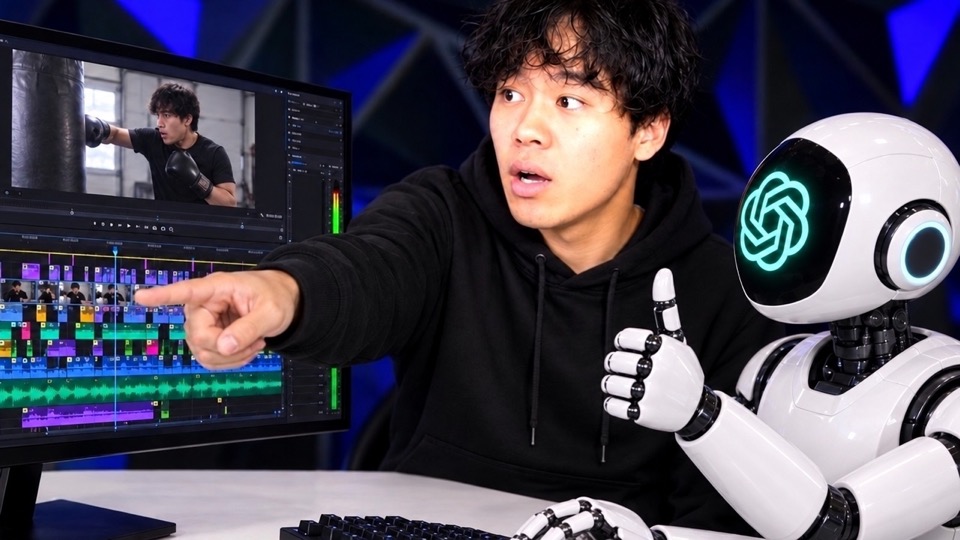
Claude edited my video while I was at work
I let Claude edit my video in DaVinci Resolve completely on its own while I was at work for 8 hours. Then it got to cut a whole vlog overnight from two to three hours of raw footage. Here is what works well, what still breaks, and why in the end about 90% comes from the AI and the last 10% is still me.
The video loads only when you click play. Then your browser connects to YouTube (Google), and Google may store data on your device. Privacy policy
The test
I am a software engineer and I use AI every day at work. I also use it when I edit my own videos. So I wanted to check if the viral AI editing workflows really work.
Test 1 was a reel. The raw take was 5 minutes 38 seconds long, full of slips, pauses and breaths, and I wanted about 60 to 90 seconds. Test 2 was a vlog from a folder of raw footage.
My setup: DaVinci Resolve Studio, not the free version. I think you need Studio for the MCP. Claude got one prompt that I dictated with as much context as possible. No prompt engineering. Then I went to work and let it run.
Nobody has time to write the perfect prompt.
90%, not 100%
When I came back, about 90% was already good. Claude picked the best takes well. But there were still some breaths, slips and pauses left. In short videos, those make a big difference.
If you let one agent cut a whole video in one shot, you get about 90% right now. Better skills or better models do not get you to 100% yet. So let AI do the first 90%, and do the last 10% yourself.
AI does the first 90%. The last 10% is still on you.
Copying a creator style
I also gave Claude the style of a creator I really like. I did not touch that reel at all. The best takes, the rough cut, the animations, the motion graphics and the images all came from Claude.
It is not bad, but it is not as good as the original. The masking failed, so you can still see my chair. And the cut timings are off: when the image changes, the position has to change too.
To get closer, you have to iterate. A checklist helps to check if the style really matches. And an agent always has its own opinion, so it needs feedback. One agent cuts, a second agent reviews.
The real strength: variations
If you think about how much work this takes off your plate compared to a normal edit, it is insane. I made four variations of this one video.
If you use Trial Reels on Instagram, you can take one video and build 10 or 20 variations: other fonts, other assets, other hooks. That is where AI is strong. It will not do 100% in one shot, but it lets you test a lot.
Test 2: a vlog from raw footage
For the second test I used an older vlog that I filmed in English. Claude got a folder of raw footage and could do whatever it wanted. My only wishes: a 30-second intro and some relaxed hip-hop music.
I expected it to take all night. When I wanted to go to sleep, the vlog was already done.
The montages were good. Claude saw exactly when I hit the punching bag and even used different camera angles. The talking parts were boring, but honestly, that is also because I am not that interesting in this vlog. The intro was weak, because it was not cut to the beat.
What I take away
Vlogs are much faster than short-form. You do not need graphics or research, which take the most time. It is the raw cut with some music and some detection.
The weak intro is a skill problem, and I can fix it. If I build a good intro skill, improve the montages and film more vlog scenes, this can get really good. So now I just want to film a lot more.